


ZGF Architects
PDX Reimagined: How a Digital Backbone Powered America’s Most Ambitious Airport Project

A new way to supercharge Revu with AI.

The Complete Guide to Construction Takeoffs in 2026


BLUEBEAM REVU + AI
Bluebeam Max –
Supercharge your Revu
Your super tool for an AI-powered world. Accelerate drawing reviews, automate workflows and bridge the gap between PDF and BIM.
Automate the busy work
Work smarter with AI-powered automation that handles tedious tasks and complex workflows. Spend less time on repetitive work so you can focus on what matters most.
Talk to your drawings
Connect Revu to Anthropic’s Claude — use AI prompts to search information, turn markup metadata into insights, and do just about anything else you can imagine.
See the bigger picture
Get big-picture clarity into complex projects with Stitching — automatically combine drawing sheets from different parts of your project into a single, continuous view.
Skip the redraw
Use ‘Magic markups’ to instantly duplicate, offset, or convert markups with CAD-level precision. No manual redrawing required.

Get ahead of delays and cost overruns
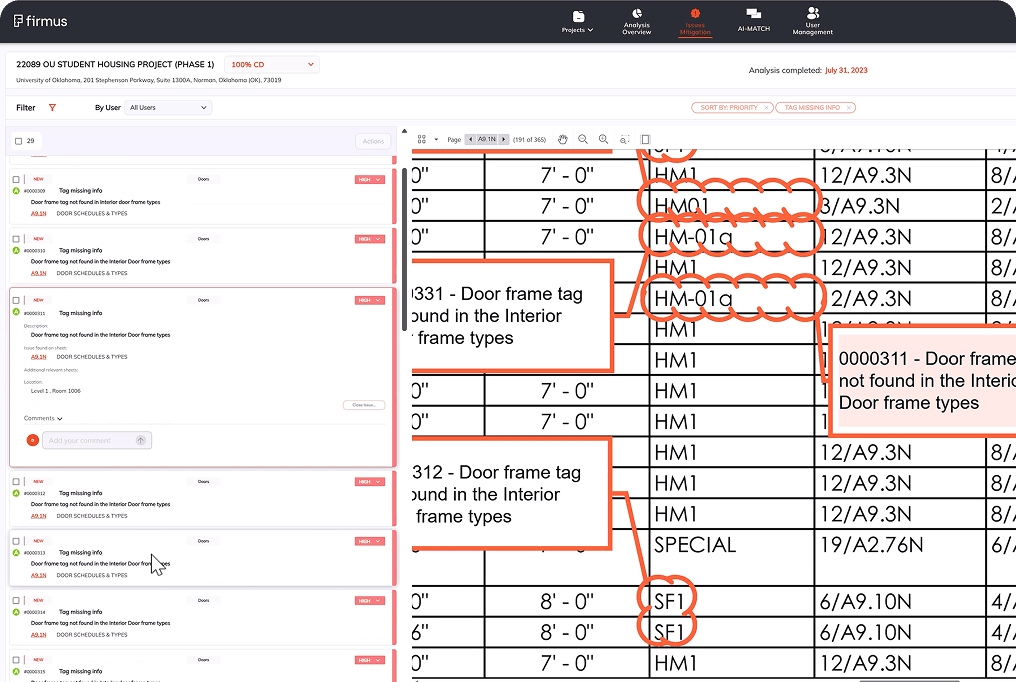
Strengthen project confidence with AI-powered design reviews that resolve issues before they become expensive setbacks.

Bridge the gap between PDF and BIM
Improve coordination between teams using BIM and Bluebeam with Connected Studio Sessions with Revit® — Bluebeam markups will automatically link to the correct spot in Revit, in the corresponding drawing sheet and 3D view.


Frequently asked questions
Once it’s available, new users will be able to sign up for a 14-day Max trial. Current Bluebeam customers will have the option for extended trials. Stay tuned!
Yes! We equip students and educators with our latest and greatest tech through the Bluebeam Academic Program. Once Max capabilities are available, they’ll be included for academic subscribers.
While Bluebeam Max will initially integrate with Anthropic/Claude, it’s built on industry-standard Model-Context Protocol (MCP) technology. This means that Max is designed to connect with other leading AI models — such as Copilot, ChatGPT, Perplexity, and Gemini — as soon as they provide desktop apps with MCP integration. We want to give you the flexibility to choose which AI best fits your workflow. We’ll share more updates as additional AI options become available.